Document processing automation for invoices, forms and PDFs
Every invoice, purchase order, form and PDF read the moment it arrives, checked against your own records and filed where it belongs. Nobody retypes anything. You bring the brief and the access. Everything after that is ours.
What happens to every document
Six stages, all of them ours. You approve the field map once, then it runs.
- It arrivesEmail attachment, shared folder, scanner or supplier portal. Every source feeds the same line.
- It is readAny layout, any supplier, including phone photos of paper taken at an angle. Nothing is templated.
- The fields come outSupplier, dates, line items, totals, references, terms. Whatever your process needs, mapped once.
- It is checkedAgainst your own records: supplier known, PO matched, totals adding up, invoice number never seen before.
- It is filedInto Xero, QuickBooks, Sage, your CRM or the job record, with the original attached to the entry it created.
- The doubtful ones are flaggedAnything under your confidence threshold lands with one person, the exact field named. Checking, not typing.
The checks that pay for the build
Duplicate invoices caught before they are paid.
- Duplicate invoicesThe same invoice number, or the same amount from the same supplier, stopped before it is paid twice.
- Totals that add upLine items, VAT and the header total reconciled on every document.
- Matched to the PO and the supplierKnown supplier, open purchase order, quantities and prices as agreed.
- Changed bank details flaggedNew account details on a familiar supplier go to a person before anything is updated.
Every check runs against your own ledger, purchase orders and supplier list, in your own accounts. A fixed price, quoted in writing before anything starts.
Where it reads from, and where it files to
Claude does the reading. Everything else is your own inbox, folders and ledger, connected in your accounts and your name, so nothing of ours needs switching off if we ever part ways.
- Claude
- Gmail
- Microsoft 365
- Google Drive
- Dropbox
- Xero
- QuickBooks
- Sage
- HubSpot
- Sheets
- Airtable
- n8n


The original document stays attached to the record it produced, so a year from now the number and its source are still together.
The day-to-day, all of it automated
Fourteen jobs a specialist does by hand. The run does every one, on a schedule, inside the tools you already use. You see the results, not the work.
- Incoming supplier invoices extracted and checked automatically
- Purchase orders matched against line items on bills
- Paper documents scanned and filed into correct folders
- Delivery notes checked against stock and invoice quantities
- Customer application forms read and checked for completeness
- Bank statements imported and converted into clean data
- Key details validated against existing client database records
- Missing fields and duplicate submissions flagged for review
- Tax rates and company details verified on receipts
- Email attachments processed and sent to relevant teams
- Historical paper files digitised for instant search
- Approval workflows triggered automatically based on invoice amounts
- Expense receipts checked against company expense policy
- Final documents archived securely with full audit histories
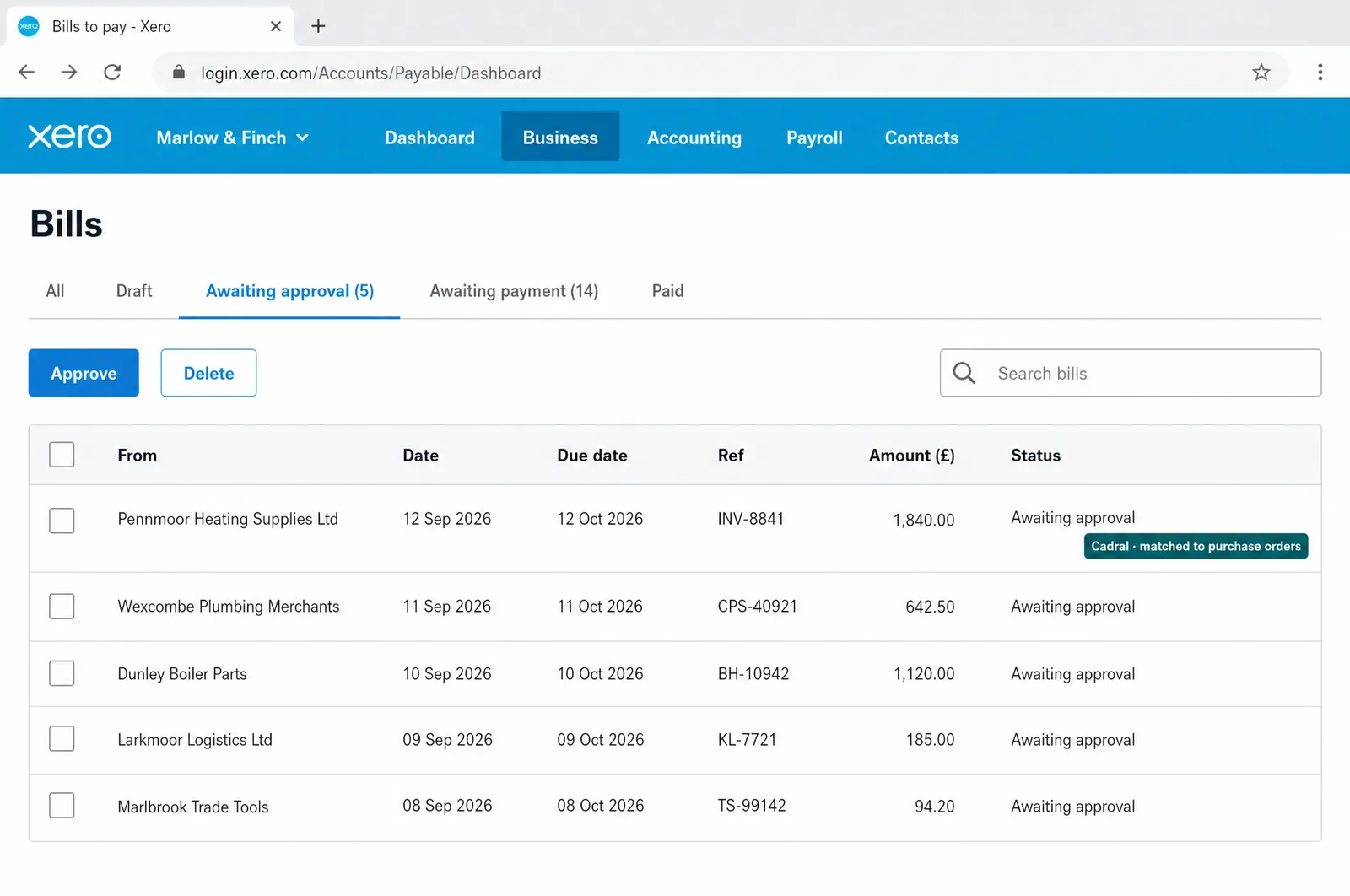
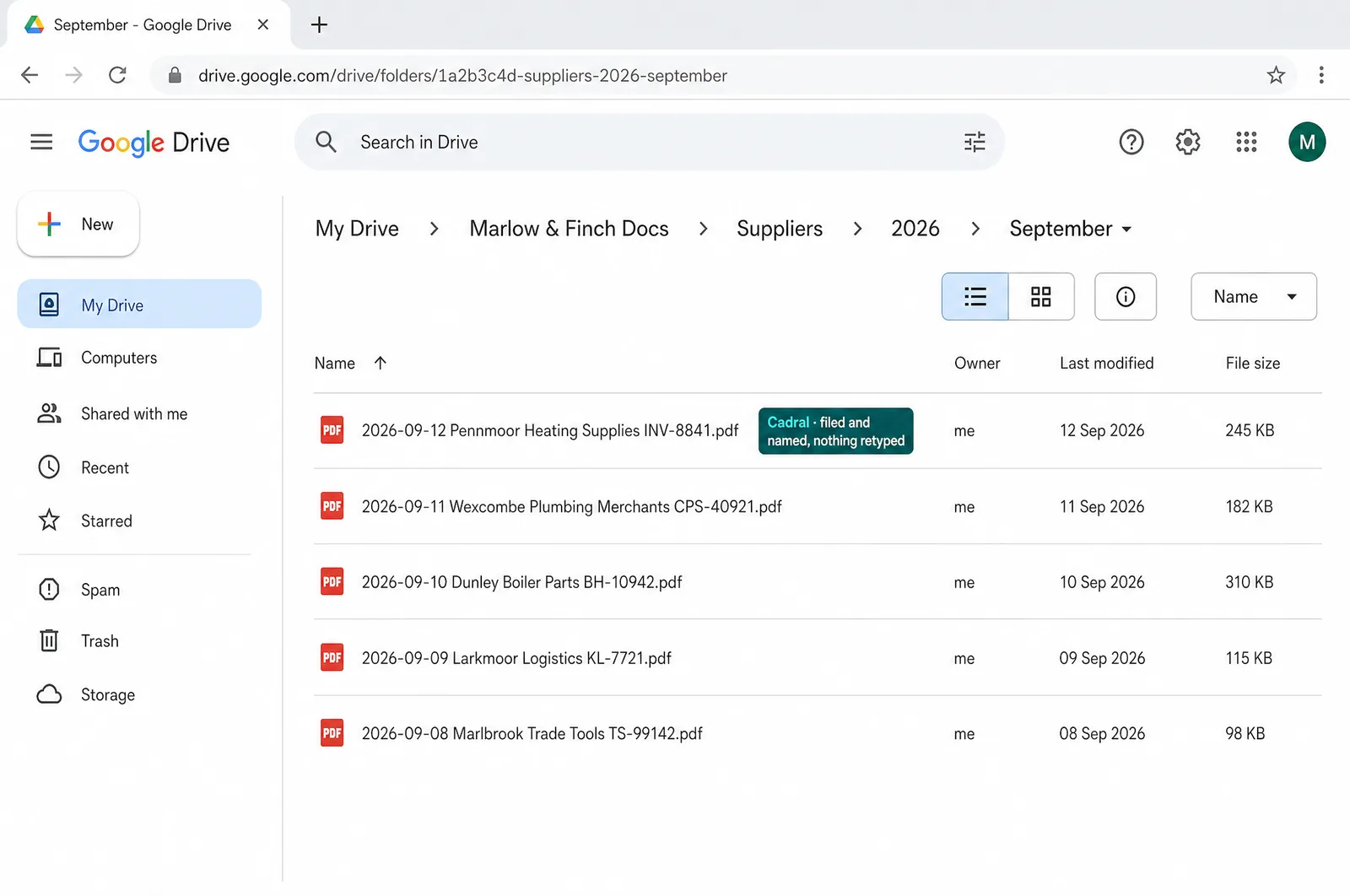
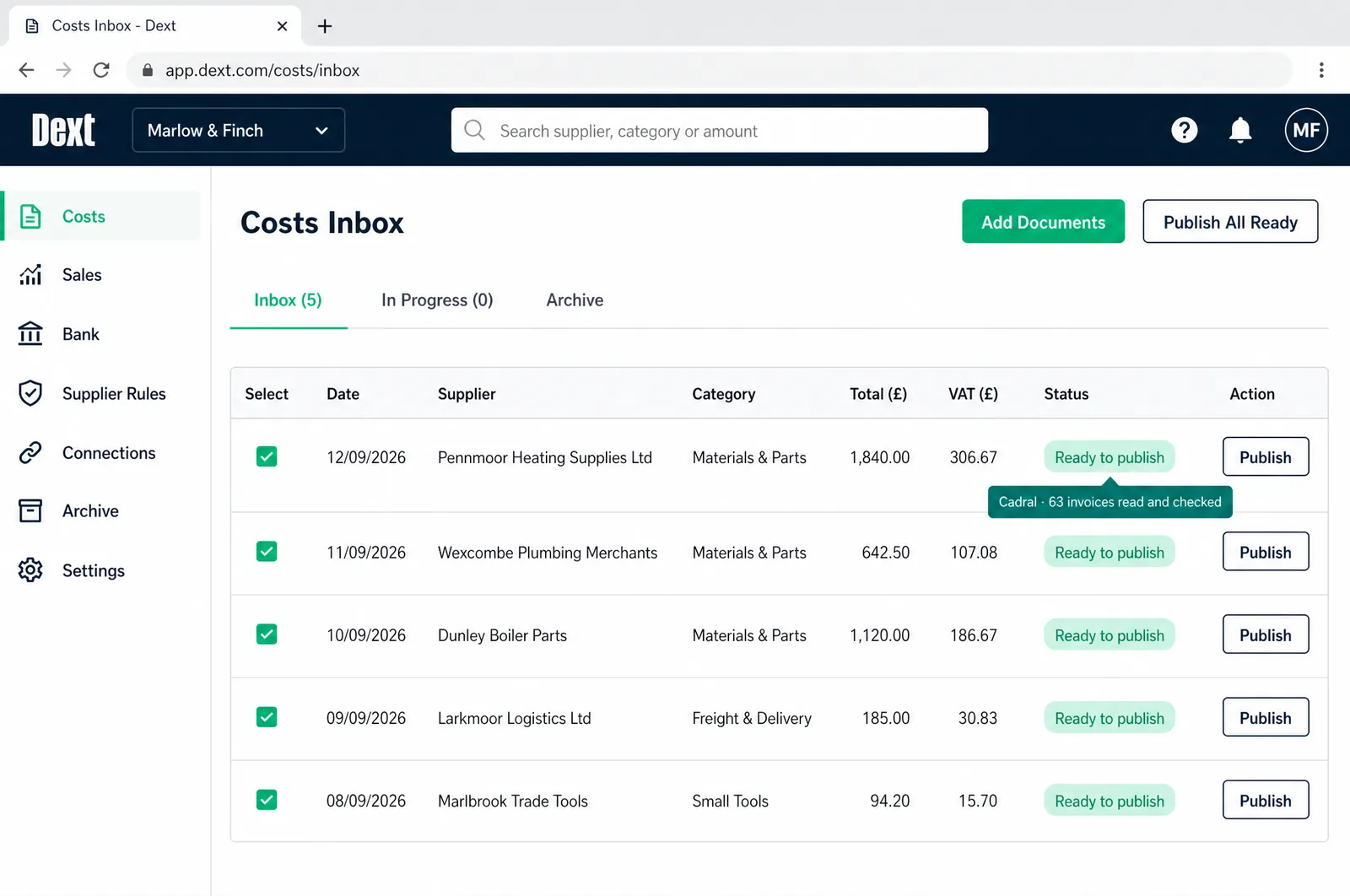
Illustrations of the tools in use, drawn for this page for an example business, Marlow & Finch. Every figure in them is an example, not a client's data, and any person in them is generated. Tap a picture to open it full size.
- DextInvoices and receipts read
- XeroBills created and matched
- QuickBooksSame job, QuickBooks shops
- Google DriveFiled and named, every time
- DocuSignSigned documents in the flow
The night shift
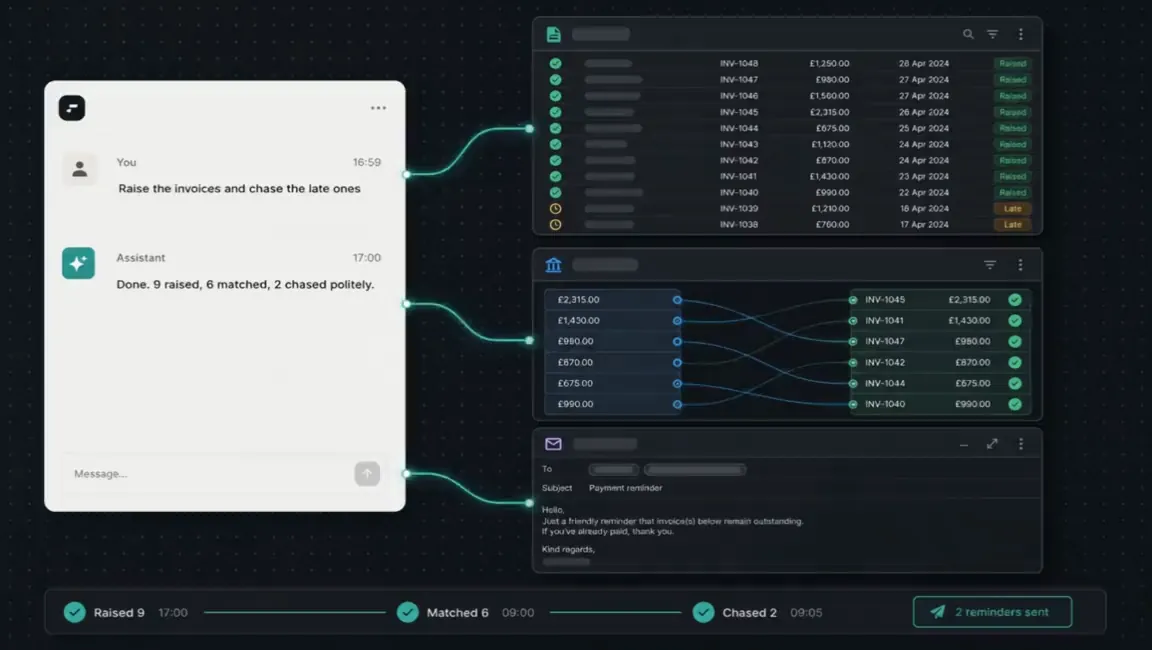
Nobody in the building. This is the job doing itself at eleven at night, and what you see in the morning.
Questions we get asked about this
- We tried OCR years ago and it was useless. What is different?
- The old tools matched templates, so a new supplier or a changed layout broke them. What we build reads the document the way a person does, so a layout it has never seen is the normal case, and phone photos of paper and neat handwriting read too. We test it on your real intake in the first week, not on a sample deck.
- How accurate is it?
- Accurate enough that the job becomes checking exceptions rather than typing. Every extracted field carries a confidence score, anything under the threshold you set is routed to a person with that field highlighted, and on anything financial you can set the threshold as strict as you like. It is a setting, so it moves as your confidence does.
- Where does our data go?
- Where you decide, and it is written down before a single document is sent anywhere. For most business paperwork a mainstream model behind a data processing agreement is the right call. Where documents carry special category data or a client contract forbids it, the build changes to keep them inside your own environment, and that is agreed before anything moves.
- What does it cost?
- A fixed price, quoted in writing before anything starts, whatever the job turns out to involve. It runs in your own accounts and under your own name, so the systems and the data stay yours.
- What do you need from us?
- The brief, the brand and the access: what arrives, where each field should land, and logins to the inbox, folders and accounting system it feeds. Everything after that is us.
Got a question the list did not answer? Ask it on a call, or send us the brief and we will come back with a fixed price.
What usually gets built alongside it
A read document is the start of something else. These are the systems the extracted data usually feeds.
Tell us the job. We will tell you the price.
Twenty minutes and a fixed quote in writing. You bring the brief and the brand. Everything after that is us.
Not ready to talk? Run your own numbers on fifteen free tools, no email asked.
Elsewhere on this site
Each service is its own page. Pricing, the FAQ, the Manchester company page, the free tools and the blog sit alongside them.
Services
- SEO automation
- Content production
- Social media automation
- Brand and video production
- Paid ads automation
- Email marketing automation
- Lead qualification
- CRM automation
- Outbound automation
- AI voice agents, outbound
- Proposals and quotes
- Inbound automation
- AI chat widget
- AI voice agents, inbound
- WhatsApp and SMS
- Document processing
- Invoicing and payment chasing
- Reporting and dashboards
- Scheduling and onboarding
- Recruitment and HR
- Website design and build
- Custom software and apps
- AI agent development
- System integration
- Knowledge base and search
- Your whole stack, inside Claude
- Team training and upskilling
- AI strategy and roadmap
- Support and maintenance
