WhatsApp and SMS automation for business
Every WhatsApp and SMS message answered in seconds, with bookings made, orders checked and payments taken in the thread, on a number that stays yours. You bring the brief and the brand. Everything after that is us.
What we run on your number
Six jobs, one number, all of them ours. Every conversation ends in your CRM, so nothing agreed on a phone is lost to the business.
- Every message answered in secondsAny hour, from your own documents and prices, with the question understood rather than matched to a menu.
- Bookings made in the threadBooked, moved and confirmed inside the chat. No link out, no app, no account to create.
- Orders and jobs checked liveStatus pulled from the system that holds the truth, so the answer is right rather than roughly right.
- Payments taken in the chatA payment link sent in the conversation and paid on the phone through your own Stripe, with the receipt back in the thread.
- Reminders that go out on timeAppointment reminders and confirmations, written and approved as WhatsApp templates by us before launch, then sent on schedule.
- Handed over and loggedA named person picks up the moment a decision is needed, thread intact, and every conversation lands in your CRM against the right contact.
From brief to live in four steps
A fixed price, quoted in writing before anything starts. Everything runs in your own accounts and under your own name.
- 01
You send the brief
What you sell, what customers ask and how you sound. An hour of your time.
- 02
We build it
Number, assistant, bookings, orders, payments and templates, wired to your calendar and your CRM.
- 03
Approved before launch
Templates submitted to Meta and cleared before go-live, so reminders send from day one. Your number, your accounts, your name.
- 04
We run it
Every conversation, booking and handover reported monthly against the numbers agreed on day one.
Wired into what you already run
WhatsApp and SMS on the same number, the assistant running on Claude, and every answer pulled live from your calendar, your shop and your CRM. Your accounts, your logins, your data.
- Meta Cloud API
- Twilio
- Claude
- HubSpot
- Calendly
- Google Calendar
- Stripe
- Shopify
- Sheets
- Slack
- n8n


SMS runs alongside WhatsApp through Twilio, so a customer without the app still gets the confirmation. Payment links go through your own Stripe: money only ever moves when the customer taps pay.
The day-to-day, all of it automated
Fourteen jobs a specialist does by hand. The run does every one, on a schedule, inside the tools you already use. You see the results, not the work.
- Inbound WhatsApp and text messages answered in seconds
- Automated booking links sent directly inside messaging threads
- Payment links prepared and sent via WhatsApp
- Appointment reminders dispatched automatically to prevent no-shows
- Order updates and tracking links sent by SMS
- Broadcast messages sent to your consented list
- Message history copied across to sales system records
- Complex customer queries escalated to staff chat inbox
- WhatsApp message templates submitted for Meta approval regularly
- Opt-out requests processed automatically to maintain compliance
- Customer feedback surveys sent automatically following completed orders
- Frequently requested brochures and documents sent in chat
- Message delivery and read rates monitored across campaigns
- Out-of-hours auto-responses set up for evening enquiries
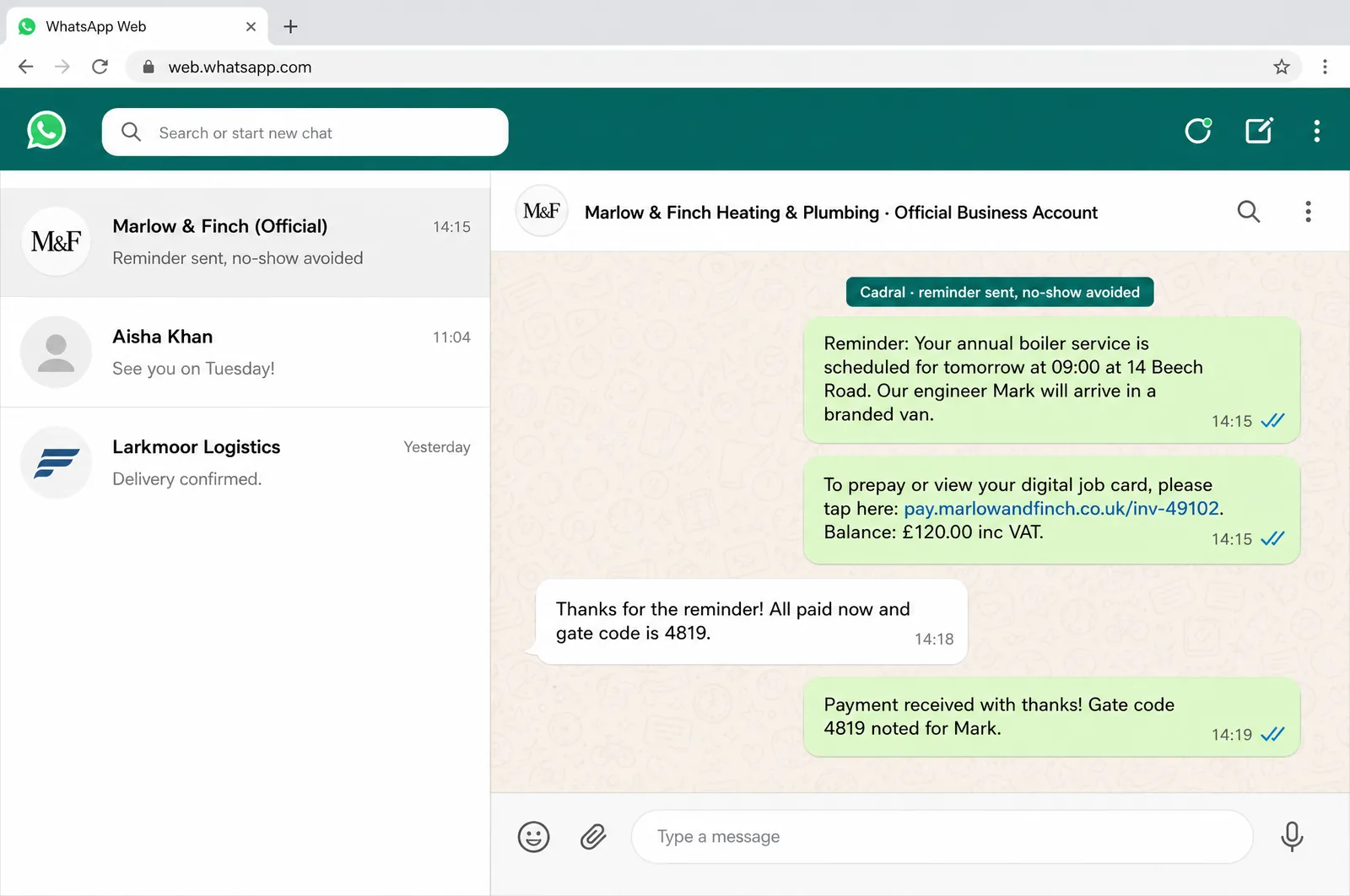
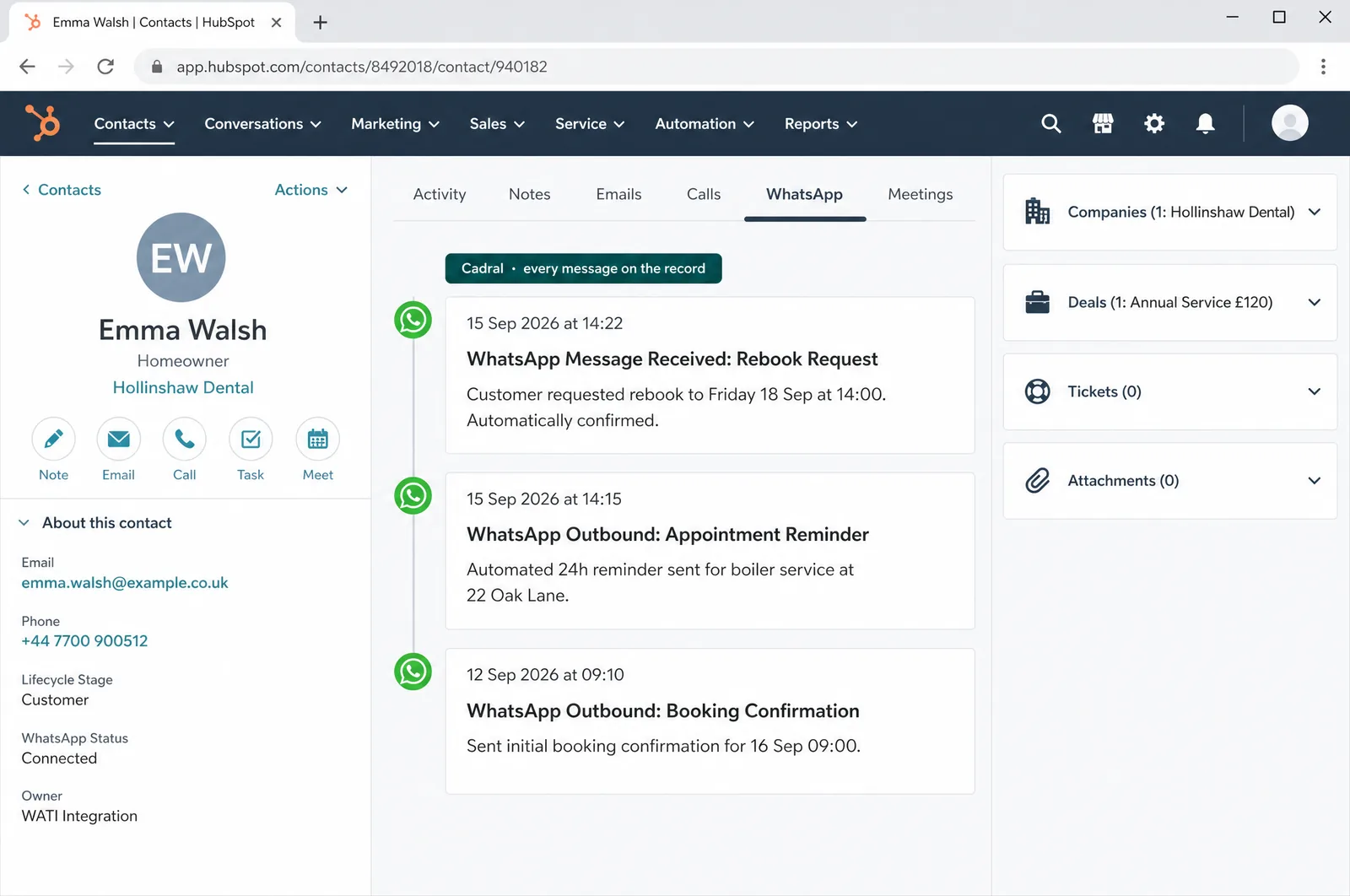
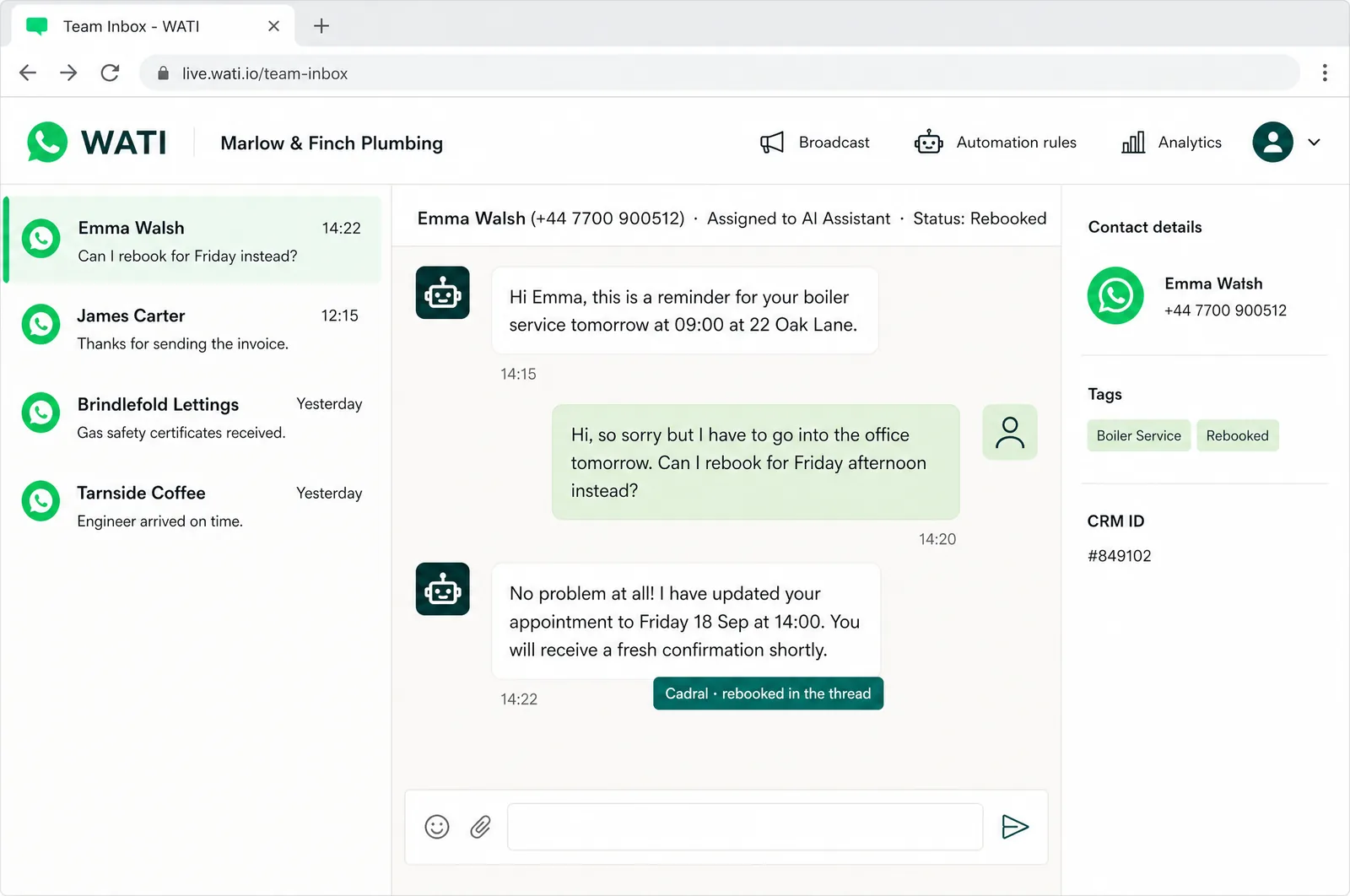
Illustrations of the tools in use, drawn for this page for an example business, Marlow & Finch. Every figure in them is an example, not a client's data, and any person in them is generated. Tap a picture to open it full size.
- WhatsAppThe number stays yours
- WATIThe shared team inbox
- TwilioSMS and the lines behind it
- HubSpotEvery conversation on the record
- StripePayment links in the thread
The night shift
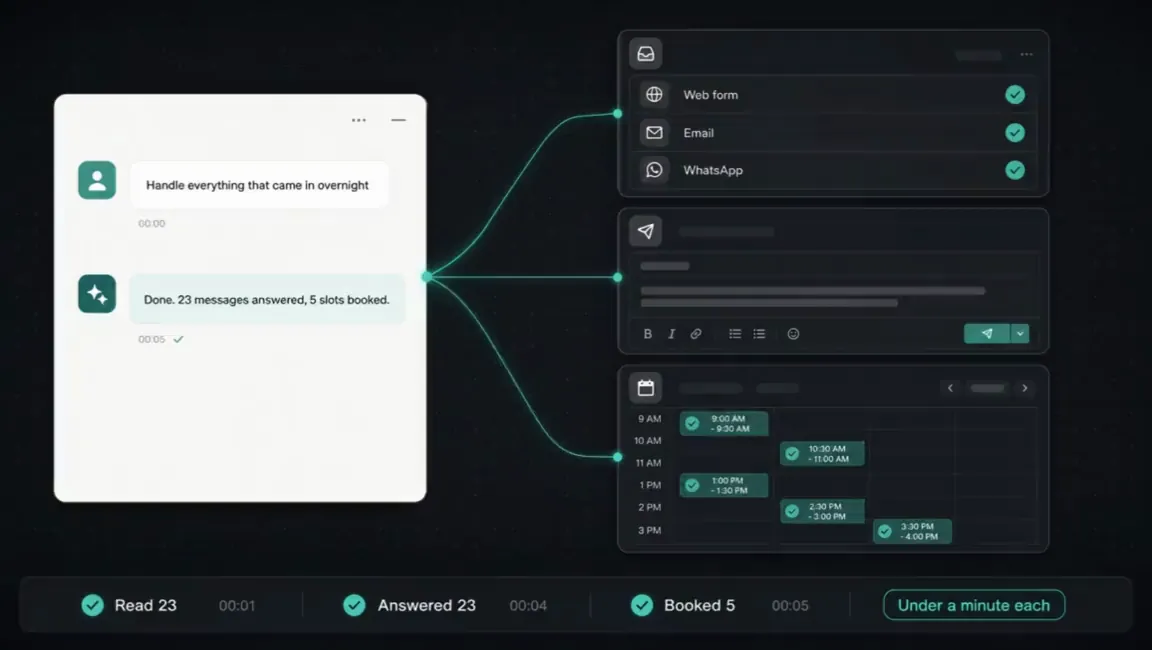
Nobody in the building. This is the job doing itself at eleven at night, and what you see in the morning.

Questions we get asked about this
- Do we need a new phone number?
- No. Your existing business number moves onto the WhatsApp Business Platform and stays yours, and we handle the move. Some firms take a second number to keep a personal mobile out of the business: that is a choice, not a requirement, and we set up either.
- Can it message customers first, or only reply?
- Both. Replies run inside WhatsApp's 24-hour conversation window, and anything you start (reminders, confirmations, delivery updates) goes out as a template we write and get approved with Meta before launch. Marketing sends go to people who have opted in, which keeps your number's quality rating high and your messages landing.
- What happens when it does not know the answer?
- It says so and hands the thread to a named person, history intact, inside the same chat. You decide what triggers a handover: a refund, a complaint, a question outside the documents, or a customer asking for a human. The rule is built in from day one, so a customer standing in your shop never gets a guess.
- Is SMS included?
- Yes. SMS needs no app and reaches every handset, so it is the right channel for one-way confirmations and for customers who are not on WhatsApp. The build runs both from one place and picks the channel per message type, so you never have to.
- What do you need from us?
- The brief, the brand and the access: what you sell, what customers ask, how you sound, and logins for the number, the calendar and the CRM. Everything after that is us.
Got a question the list did not answer? Ask it on a call, or send us the brief and we will come back with a fixed price.
What usually gets built alongside it
Messaging is one door into the business. These are the systems that answer the others and act on what comes through.
Tell us the job. We will tell you the price.
Twenty minutes and a fixed quote in writing. You bring the brief and the brand. Everything after that is us.
Not ready to talk? Run your own numbers on fifteen free tools, no email asked.
Elsewhere on this site
Each service is its own page. Pricing, the FAQ, the Manchester company page, the free tools and the blog sit alongside them.
Services
- SEO automation
- Content production
- Social media automation
- Brand and video production
- Paid ads automation
- Email marketing automation
- Lead qualification
- CRM automation
- Outbound automation
- AI voice agents, outbound
- Proposals and quotes
- Inbound automation
- AI chat widget
- AI voice agents, inbound
- WhatsApp and SMS
- Document processing
- Invoicing and payment chasing
- Reporting and dashboards
- Scheduling and onboarding
- Recruitment and HR
- Website design and build
- Custom software and apps
- AI agent development
- System integration
- Knowledge base and search
- Your whole stack, inside Claude
- Team training and upskilling
- AI strategy and roadmap
- Support and maintenance
